WiFi vs Ethernet: How Big Is the Speed Difference? (2026)
Ethernet is almost always faster and more stable than WiFi — but by how much, and does it actually matter for what you do? We ran the tests so you don't have to.
1. The speed difference in real numbers
On a 500 Mbps plan, typical results from the same router look like this:
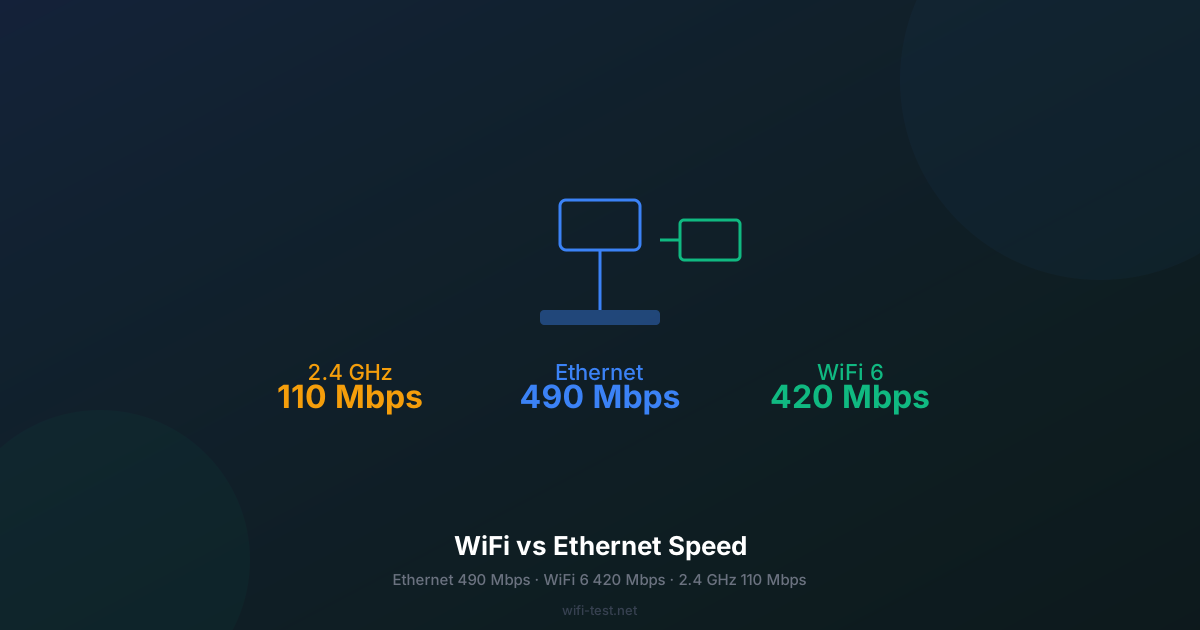
- Ethernet (Cat 6, 1 m from router): 480–495 Mbps download, 490 Mbps upload.
- WiFi 6 (2.4 GHz, 1 m from router): 90–130 Mbps download.
- WiFi 6 (5 GHz, 1 m from router): 380–440 Mbps download.
- WiFi 6 (5 GHz, across the house): 150–280 Mbps download.
The 5 GHz band at close range is surprisingly competitive. The gap widens dramatically with distance, walls, and interference. The 2.4 GHz band — used by most older phones and IoT devices — consistently delivers a fraction of what the plan offers.
2. The latency gap matters more than speed
Download speed is the flashy number. Latency (ping) is the one that makes the difference you feel:
- Ethernet ping: typically 3–8 ms to your router, 12–25 ms to the internet.
- WiFi 6 ping (5 GHz, close range): typically 5–12 ms to router, 18–35 ms to the internet.
- WiFi 4/5 (2.4 GHz): 10–30 ms to router alone — internet latency adds on top.
For gaming, every millisecond matters. A ping spike from 20 ms to 80 ms during a firefight is often the difference between winning and losing — and WiFi is far more prone to spikes. For more detail, see our ping vs latency gaming guide.
3. Jitter: WiFi's invisible problem
Jitter is the variation between successive pings. Ethernet jitter: typically 0.5–2 ms. WiFi jitter: 3–15 ms on a good day, much worse in crowded apartments. High jitter makes video calls choppy and online gaming unreliable even when average ping looks acceptable. Run a test right now — the jitter result will tell you immediately if your wireless is degraded.
4. When Ethernet genuinely makes a difference
Competitive gaming
If you play games where reaction time matters — FPS, battle royale, fighting games — Ethernet is the single biggest free upgrade you can make. The consistent low latency directly translates to a competitive edge.
4K and 8K streaming
4K Netflix at 25 Mbps and 8K at 80 Mbps are well within WiFi range for most users. But if you're buffering on 4K, it's almost always a WiFi issue: momentary interference drops throughput below the bitrate threshold. Ethernet eliminates this entirely.
Large file transfers and cloud backup
Uploading 50 GB to Google Drive or backing up with Time Machine over WiFi can take hours. The same job over Ethernet cuts it to a fraction of the time while keeping your wireless network free for other devices.
Video calls (Zoom, Teams, Meet)
Video calls need around 3–5 Mbps but are highly sensitive to jitter and packet loss. Ethernet virtually eliminates the "freezing" and audio cuts that WiFi causes. This matters especially for client calls and remote work.
5. When WiFi is perfectly fine
Not everything needs a cable. WiFi is more than adequate for:
- Casual web browsing and social media.
- Streaming on a phone or tablet (Netflix, YouTube, Spotify).
- Smart home devices (lights, thermostats, cameras).
- Laptops doing office work — emails, documents, light video calls.
If you're not gaming competitively or transferring large files, WiFi 5 or 6 on the 5 GHz band is almost certainly good enough. Check what speed you actually need for your use case.
6. How to measure the gap yourself
The best way to quantify your personal WiFi tax:
- Plug an Ethernet cable from your router to your laptop.
- Run a speed test on wifi-test.net — note download, upload and ping.
- Disconnect the cable, connect to WiFi.
- Run the same test from the same spot.
- The gap you see is exactly what your WiFi is costing you.
Run both tests at the same time of day to avoid ISP congestion variables. A 10–20% WiFi loss is normal. A 50%+ loss means you have a WiFi problem worth fixing — see our guide to increasing WiFi speed.
7. The hybrid approach
You don't have to choose. The most practical setup: run Ethernet to the devices that need it most (gaming PC, smart TV, NAS, work desk) and let everything else use WiFi. A powerline adapter kit (~$40) or a Mesh node with a dedicated Ethernet backhaul can wire devices in any room without running cables through walls.
Conclusion
The speed difference between Ethernet and WiFi is real but context-dependent. What matters more is latency — and there, Ethernet wins by a meaningful margin every time. If you game, work from home on video calls, or transfer large files regularly, a single Ethernet cable is the cheapest performance upgrade available. For everything else, modern WiFi 6 on the 5 GHz band is genuinely good enough.
▶ Test your WiFi speed now — see what you're losing