WiFi Extender vs Mesh Network: Which Should You Buy? (2026)
Both fix dead zones, but in very different ways. The right choice depends on your home size, internet plan speed, and whether seamless roaming matters to you.
What is a WiFi extender?
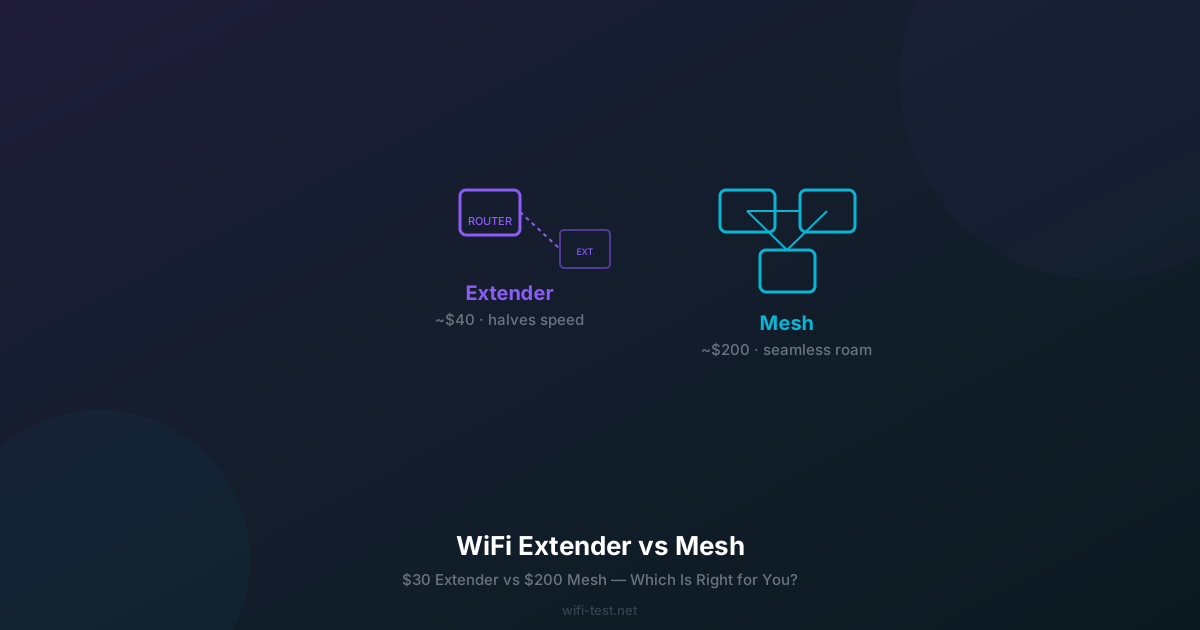
A WiFi extender (also called a repeater or booster) picks up your existing WiFi signal and rebroadcasts it under a new network name — for example, "HomeWiFi_EXT". Devices in range of the extender connect to this second network while devices near the router stay on the original.
The critical limitation: an extender using a single radio band must receive and retransmit simultaneously, cutting effective throughput roughly in half. A device on the extended network gets approximately 50% of what the extender receives from the router — so if the extender receives 150 Mbps, your device gets around 75 Mbps at best.
What is a mesh WiFi system?
A mesh system consists of multiple nodes (a primary router plus satellite nodes) that communicate with each other to create one seamless network. All nodes share the same SSID and password. As you move through your home, your device automatically connects to the closest node without dropping — this is called seamless roaming.
Better mesh systems use a dedicated wireless backhaul (a separate radio band just for node-to-node communication), so the bandwidth available to your devices is not halved by backhaul overhead.
Head-to-head comparison
WiFi Extender
Mesh System (2-pack)
Mesh (wired backhaul)
When an extender is the right choice
A WiFi extender makes sense when:
- Your plan speed is under 100 Mbps. With a 50 Mbps plan, the 50% throughput penalty of an extender still leaves you with 25 Mbps on the extended network — enough for streaming and browsing.
- You only need to cover one extra room. Extending coverage to a garage, garden office, or single bedroom is a reasonable extender use case.
- Budget is under $50. A dual-band extender with a dedicated 5 GHz backhaul channel (like the TP-Link RE605X) avoids the half-bandwidth problem and costs around $60.
- You don't need seamless roaming. If your devices stay in one place (a smart TV in a back bedroom), the second SSID limitation doesn't matter.
When mesh is worth the investment
A mesh system is the better choice when:
- Your home is over 150 m² (1,600 sq ft) or multi-storey. A single router or extender won't give consistent coverage. Mesh nodes placed every 10–15 metres deliver reliable 200+ Mbps throughout.
- You have a fast plan (300+ Mbps). An extender will bottleneck a gigabit connection. Mesh with wired backhaul delivers near-full plan speed at every node.
- You move around while on calls or gaming. Seamless roaming prevents the disconnect-and-reconnect that extenders cause when you walk between coverage zones.
- You have many devices. Modern mesh systems support 50–100 concurrent clients with intelligent load balancing. An extender adds a second network that each device must manually switch between.
- You want a single app for all management. Mesh systems (Eero, Google Nest, TP-Link Deco, ASUS ZenWiFi) offer unified mobile apps with parental controls, device prioritisation, and usage stats.
The best of both: wired mesh backhaul
If you can run Ethernet cable between floors or through wall conduits, a mesh system with wired backhaul is the ultimate setup. The nodes communicate over Ethernet at full gigabit speed, leaving the entire wireless spectrum available for devices. The result is consistently fast WiFi in every room, regardless of how many people are online simultaneously. See our WiFi vs Ethernet comparison for why wired backhaul makes such a difference.
How to test your current coverage problem
Before buying anything, run a speed test at your problem location using wifi-test.net's WiFi speed test. If you get above 50% of your router-side speed, your coverage issue may be solvable with better router positioning before buying hardware. If you get below 20%, a hardware solution is needed — and mesh will serve you much better long-term. Read more about why WiFi signal is weak before purchasing.
Quick decision guide
- Plan under 100 Mbps, 1 room to cover, budget under $60 → Extender (dual-band)
- Plan 100–500 Mbps, multi-room coverage, can't run cable → Mesh (wireless backhaul)
- Plan 500+ Mbps, multi-floor home, can run cable → Mesh (wired backhaul)
- Apartment, single floor, dead zone in one corner → Mesh 2-pack or repositioned router
Conclusion
WiFi extenders are a quick, cheap fix for a small coverage problem. Mesh systems are an investment that eliminates dead zones permanently with a single unified network. If your household has more than 4 WiFi-dependent devices or a plan above 100 Mbps, mesh is almost certainly the better long-term choice.
▶ Test your coverage before buying — run a WiFi speed test